- Stretching guide
- Hands and wrists
- Typing and phones
Wrist and hand stretches for typing and phones
Ten small moves for busy wrists and thumbs. They take about five minutes and need nothing more than a table and a wall.
 By JPott Studios
About a 6 minute read
By JPott Studios
About a 6 minute read
Wrist and hand stretches for typing work by moving your hands the other way from how they've spent the day: fingers opening, wrists bending in both directions, thumbs getting a rest. The routine below does that in about five minutes, and all you need is a table and a wall.
Typing keeps your fingers curled and busy while your wrists barely move. A mouse asks one hand for thousands of tiny movements, and a phone has your thumbs scrolling, tapping and stretching across the screen for hours. The muscles doing all that run along your forearm, which is why tired hands so often come with a tight, achy forearm too.
Before you start. This is general information, not medical advice. Stretch gently and stop if anything hurts. If you have numbness, tingling, weakness, a hand that drops things, or pain that wakes you at night, see a doctor or physiotherapist. These can be signs of an irritated nerve, such as carpal tunnel syndrome, which needs a proper check rather than more stretching.
Wrist and hand stretches for typing: the 5-minute routine
Sit comfortably with your shoulders relaxed. Keep every stretch mild and breathe normally.
-
Shake out 10 seconds
Let your hands hang loose and shake them gently, as if you're flicking off water. It's a small signal to your hands that the typing has stopped. -
Spread and soft fist 30 seconds
Spread your fingers as wide as feels comfortable and hold for a breath. Then close them into a soft, loose fist. Repeat slowly five to ten times. -
Wrist circles 30 seconds
Hold your arms out in front of you, or rest your elbows on the table, and slowly circle both wrists. Change direction halfway. -
Palm up stretch 20 seconds each side
Hold one arm out in front, palm up, elbow soft. Use your other hand to gently draw the fingers back toward you. You'll feel a mild stretch along the inside of the forearm and into the palm. -
Palm down stretch 20 seconds each side
Now turn that palm to face down and let the hand drop. With your other hand, ease it gently a little further down. This one reaches the top of the forearm and the back of the hand, so use a very light touch. -
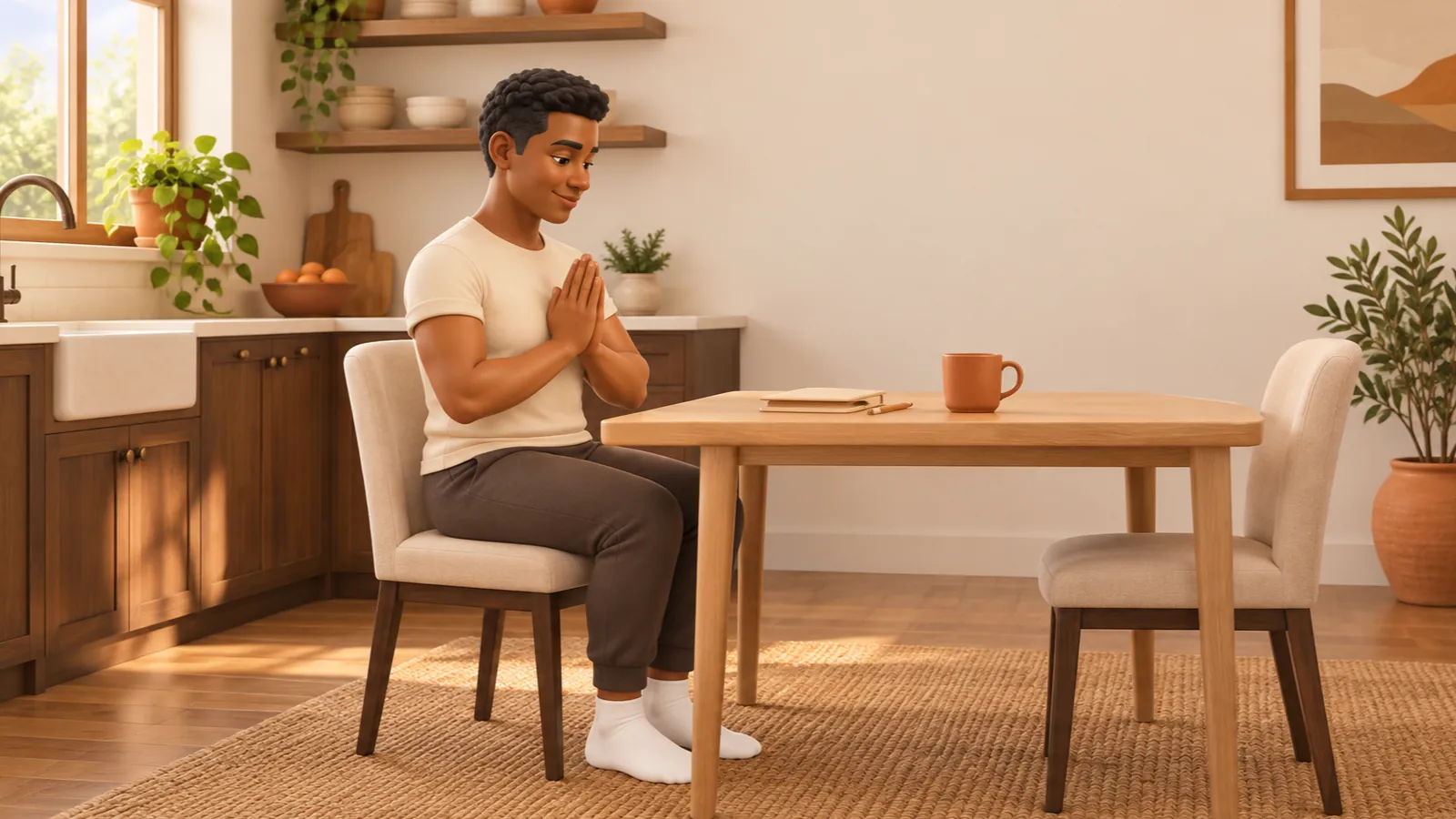
Prayer stretch 30 seconds
Press your palms together in front of your chest. Keeping them together, slowly lower your hands toward your waist until you feel a gentle stretch in both wrists. Stop well before it gets strong. -
Wall press 20 seconds each side
Stand facing a wall and put one palm flat on it, fingers pointing up, elbow soft. Keep the palm flat as the wrist opens. Standing closer to the wall makes it easier. -
Thumb circles and stretch 20 seconds each side
Slowly circle one thumb in both directions. Then use the other hand to ease the thumb gently away from the fingers, and hold for a breath. Phone thumbs usually enjoy this one. -
Finger touches 20 seconds
Touch your thumb to the tip of each finger in turn, from the first finger to the little finger and back, on both hands at once. Go slowly and precisely. -
Shoulder rolls 30 seconds
Your hands connect all the way up to your shoulders. Finish with slow backward shoulder rolls so the whole arm can relax.
The routine at a glance
Each block is one move, sized by how long it lasts.
If your neck and shoulders feel as tight as your hands, these neck and shoulder stretches for screen tension pick up where the shoulder rolls leave off. Everything above except the wall press also works sitting down, and there's a longer seated chair stretching routine that suits any age.
How to go easier on your phone thumbs
Phones are hard on thumbs in a quiet way, because the scrolling hardly ever stops. A few small swaps help.
- If one thumb does all the scrolling, give the other one a turn now and then.
- Hold the phone lightly. A tight grip keeps your forearm working, so rest it in your palm or on a table or cushion.
- For longer messages, try voice typing. It's handy and gives your thumbs a proper break.
- Lift the phone closer to eye level. That helps your neck as well as your hands.
How to set up your desk for your wrists
Between stretches, a few changes at the desk take some of the load off.
- Keep your wrists roughly straight as you type, not bent sharply up, down or sideways. A keyboard at about elbow height helps.
- Rest your palms during pauses and let them float while you type. Many people find that more comfortable than pressing down on the wrists mid-sentence.
- Bring the mouse close. Reaching far out to the side for it strains the whole arm, so keep it near the keyboard.
- Type lightly. Keys only need a light press, and pounding them adds up over a day.
- Take micro breaks. Whenever you stop to think, drop your hands into your lap for a few seconds.
For the rest of you, these desk stretches for a stiff back are nine small moves you can do without leaving your chair. Or let the free 5-minute desk stretch timer count you through a seated break right in your browser.
From JPott Studios
One calm email a month
One useful tip, one free printable or tool, and a short note from our apps. Join and get the free welcome pack: printable trackers, a packing list maker and more.
What should wrist stretches feel like?
Mild and even. Your forearm can be sensitive after a busy day, so start with less than you think you need. If a stretch brings on tingling, numbness, or a sharp feeling in your wrist or thumb, stop that one.
A mild stretch, or a reason to get checked?
Hands can be sensitive after a busy day, so start with less than you think you need.
A wrist stretch should feel
- Mild and even
- Gentle along the forearm
Stop, and see a doctor or physiotherapist if you have
- Tingling or numbness
- A sharp feeling in the wrist or thumb
- Weakness, or a hand that drops things
- Pain that wakes you at night
If you'd like the timing done for you, Gentle Range has a Wrist & Desk Relief routine in its full library, with a forearm stretch, wrist circles, a prayer stretch and moves for the neck and shoulders, all timed for you. The free Neck & Shoulders routine pairs well with the stretches on this page.
Questions about wrist stretches for typing
How often should I stretch my wrists if I type all day?
Little and often works well: a minute of finger spreads and wrist circles every hour or so, and the full routine once or twice a day. Many people find the breaks themselves help as much as the stretches.
Can wrist stretches prevent carpal tunnel syndrome?
No stretch can promise that. Gentle stretches and regular breaks can make busy hands feel more comfortable, but if you have numbness, tingling or weakness in your hand, see a doctor or physiotherapist rather than stretching more.
Should I wear a wrist brace or use a wrist rest?
That depends on you, so it's a good one to ask a doctor or physiotherapist. As a general habit, many people find it comfortable to rest their palms on a wrist rest during pauses, not while they're actually typing.
Why do forearm stretches feel so strong?
The muscles that move your fingers run along the forearm, and they work all day when you type or scroll, so they can feel sensitive. Bend your elbow a little and use a lighter touch with the helping hand. The stretch should stay mild.
From JPott Studios
One calm email a month
One useful tip, one free printable or tool, and a short note from our apps. Join and get the free welcome pack: printable trackers, a packing list maker and more.